Upgrade Rke2 and Rancher UI
2 min read
asrar

In my deployment we have a cluster with 3 masters and 3 workers for Kubernetes using rke2 with a Rancher UI to manage the kubernetes cluster. In this post, i want to summarize the steps to upgrade the rke2 version and Rancher UI on-top of the rke2 cluster. Let’s start with rke2 upgrade. Actually it’s quite straightforward process
- Start from the last node. In my case the worker3 to worker1
Since the worker using rke2 agent the we need to spesify the installation type
    #curl -sfL [https://get.rke2.io](https://get.rke2.io) | INSTALL\_RKE2\_TYPE=agent sh –
    #systemctl restart rke2-agent
Validate the process from the logs
#journalctl -eu rke2-agent -f
- Continue with the control plane. In may case we name it master1 to master3
    #curl -sfL [https://get.rke2.io](https://get.rke2.io) | sh –
    #systemctl restart rke2-server.service
    #journalctl -eu rke2-server -f
Continue this process to all control plane nodes.
- Check latest version



Lets continue with the Rancher UI that deployed on cluster above.
This step is needed since our current Rancher UI version is 2.8.5 can only support max rke2 version of 1.28.
- Make sure the helm is using helm3
#helm version

- Check repo list for rancher stable
#helm repo list

- Fetch the latest version from the repo
#helm fetch rancher-stable/rancher
- Pull the deployment value for current Rancher UI
#helm get values rancher -n cattle-system -o yaml > values.yaml
- Deploy latest stable Rancher UI
    #helm upgrade rancher rancher-stable/rancher \\
    –namespace cattle-system \\
    –namespace cattle-system \\
    \-f values.yaml
Check the rollout deployment untill all pods ready
#watch kubectl get deployment -n cattle-system
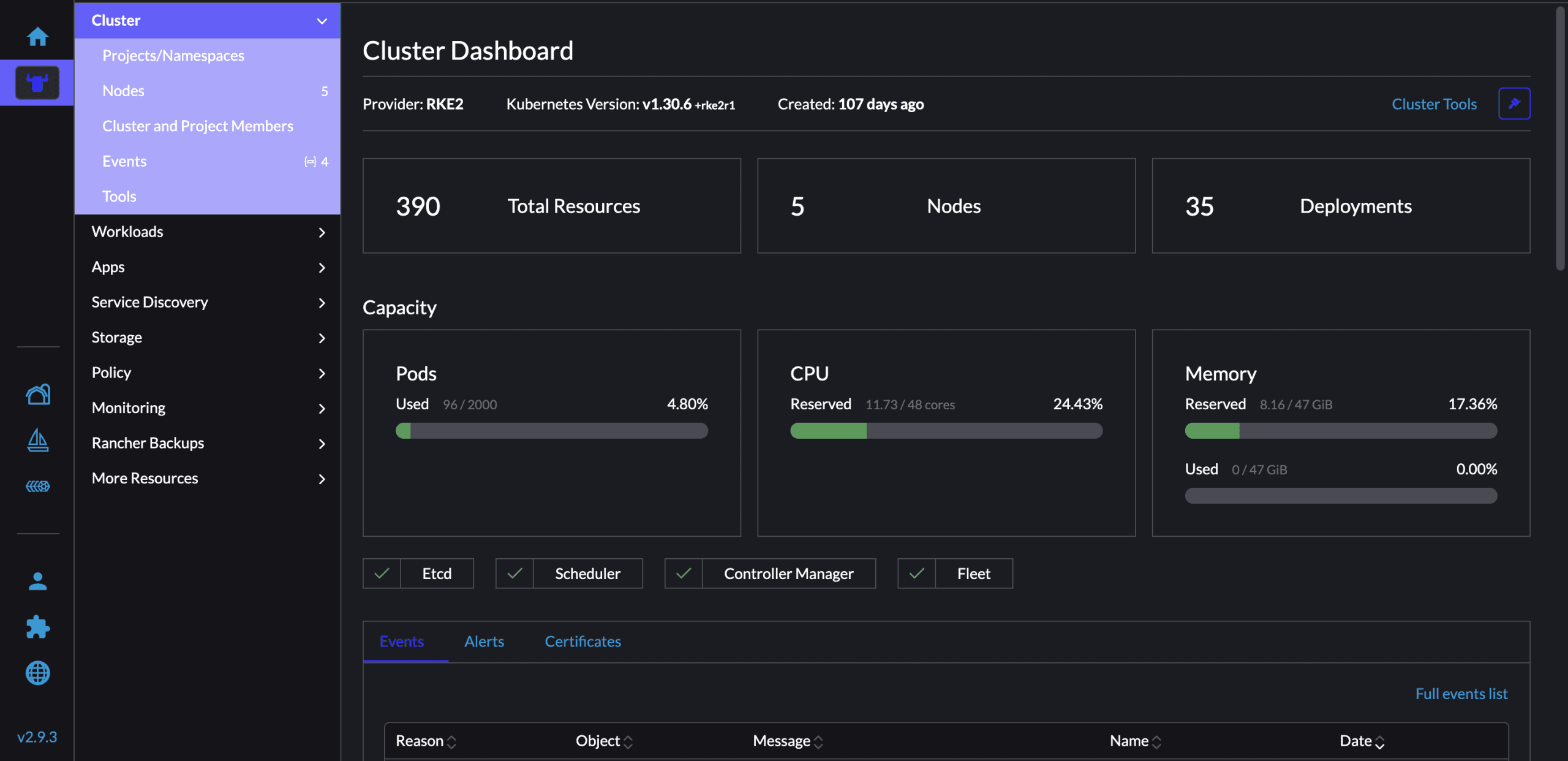
- Check the Rancher UI
Thanks
Share this article
Discussion
Join the discussion
Loading comments...